7 Powerful Lark Features Every Remote Team Should Know


Asif Mohammad Sovon
Asif Mohammad Sovon, IT Assistant at Bangladesh Air Force and Fileion tech writer, simplifies tech t...
Lark Features That Make a Difference
1. Unified Messenger and Meetings
5. Workflow Automation & Approval
6. Multilingual Real-time Translation
How the Fileion Team Picked These Features
Click here to download Lark for free
Q1: Is Lark free to use for small teams?
Q2: Can I use Lark for project management?
Q3: Does Lark work well for multilingual global teams?
Do you feel like your team uses a dozen apps just to get one thing done? Juggling separate tools for chat, meetings, and project tracking causes massive fatigue. This constant switching kills productivity and makes remote work stressful.
Lark is the single solution designed to eliminate this problem. It is an all-in-one productivity superapp that unifies all essential work tools. Lark integrates communication, documents, project management, and automation into one simple interface.
In this guide, you will learn about the 7 most powerful and underrated Lark features. These tools help global and remote teams stay focused, connected, and highly efficient.
Now let’s explore the top 7 Lark features every remote team should know.
What's Lark?
Lark is a unified collaboration suite built for the modern digital workplace. It combines core functions like instant messaging, video conferencing, calendar, and document editing.
Its main purpose is to centralize workflow and knowledge. This eliminates the need to switch between disconnected applications. Lark is popular with high-growth organizations and distributed teams who value speed and efficiency.
Lark Features That Make a Difference
1. Unified Messenger and Meetings
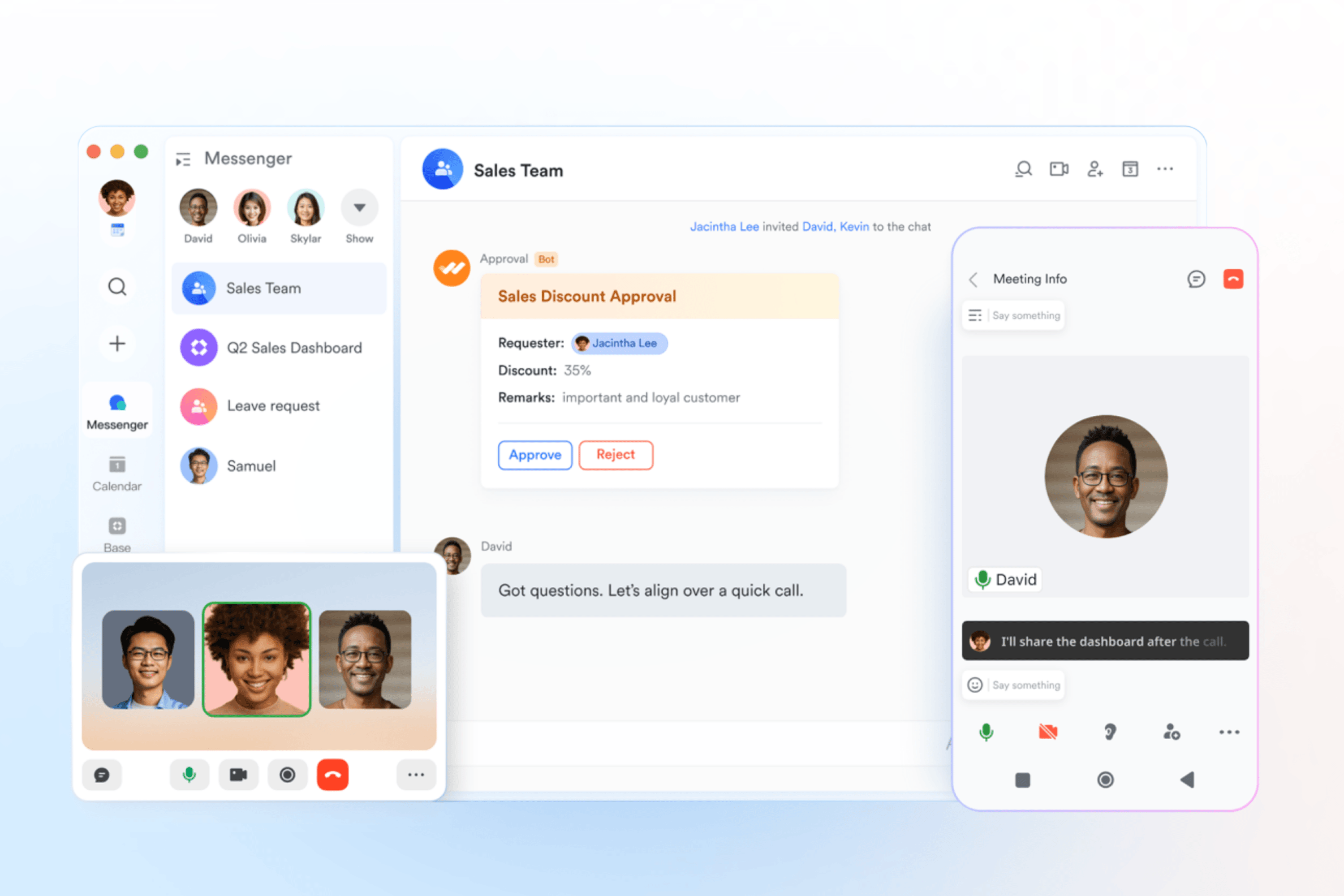
This feature tightly links real-time group chat with high-definition video conferencing. You can start or schedule a meeting directly from any group message thread. All meeting records stay attached to the chat history.
How It Helps: It stops the constant jump between communication tools. Teams save time by moving instantly from a text discussion to a face-to-face video call. The seamless transition maintains context, which is critical for remote alignment.
Use Case Example: A distributed product team is debating a bug fix in a chat. The team leader clicks one button to launch an instant video meeting within the chat window. The problem is solved in minutes, and the resolution is saved right in the chat log.
2. Lark Docs
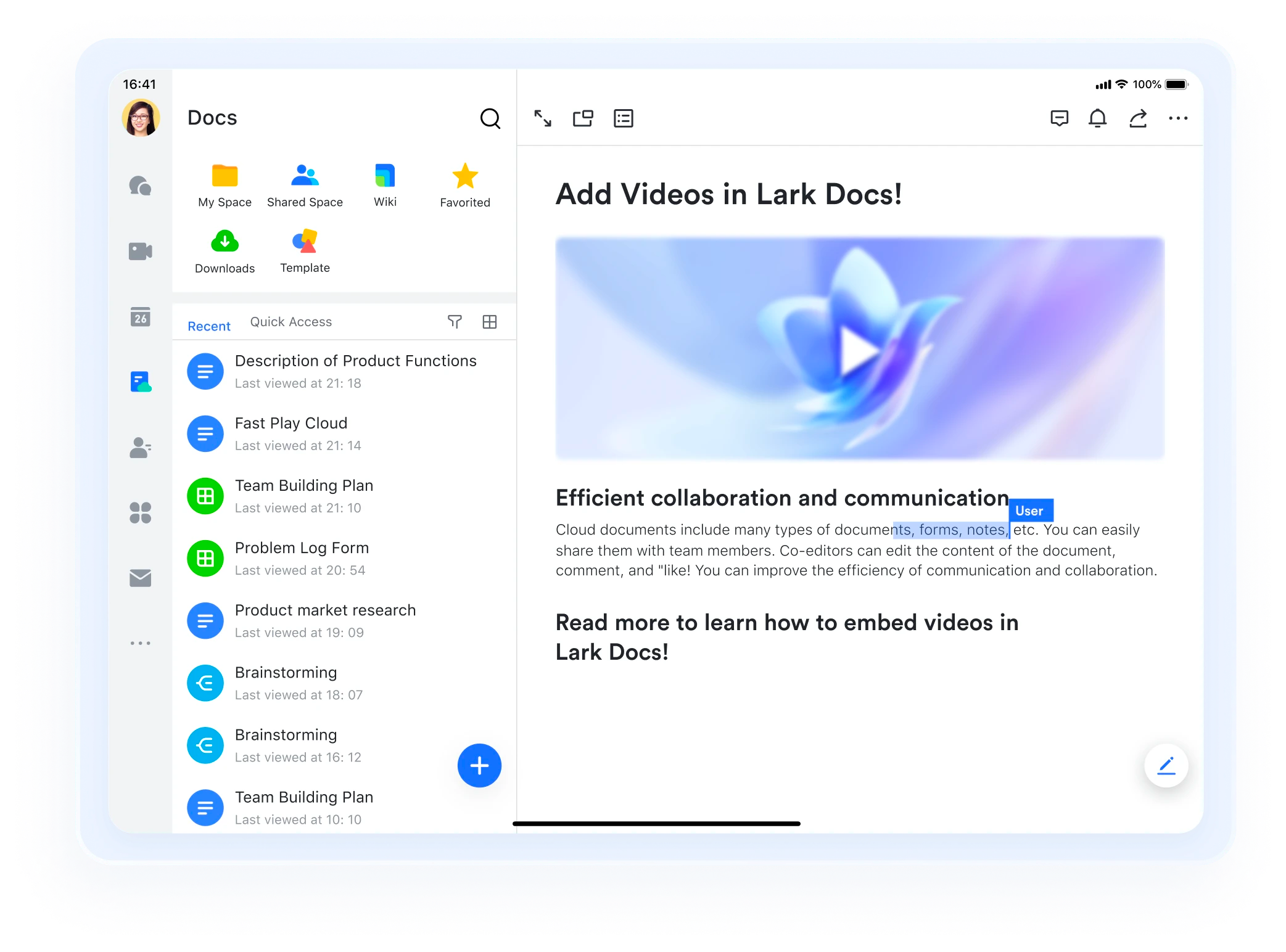
Lark Docs is an innovative word processor that supports real-time, simultaneous co-editing by multiple users. It is designed for dynamic content, allowing users to embed tables, rich media, and even databases directly into a document.
How It Helps: It removes the chaos of traditional file attachments and version control issues. Every team member works on the single, most current version. This clarity ensures rapid, error-free collaboration on proposals, reports, and strategy.
Use Case Example: A team of five marketing writers drafts a new press release together. They all edit the same Doc at once, leaving comments with @mentions for instant feedback. The document history tracks every change automatically.
3. Lark Wiki
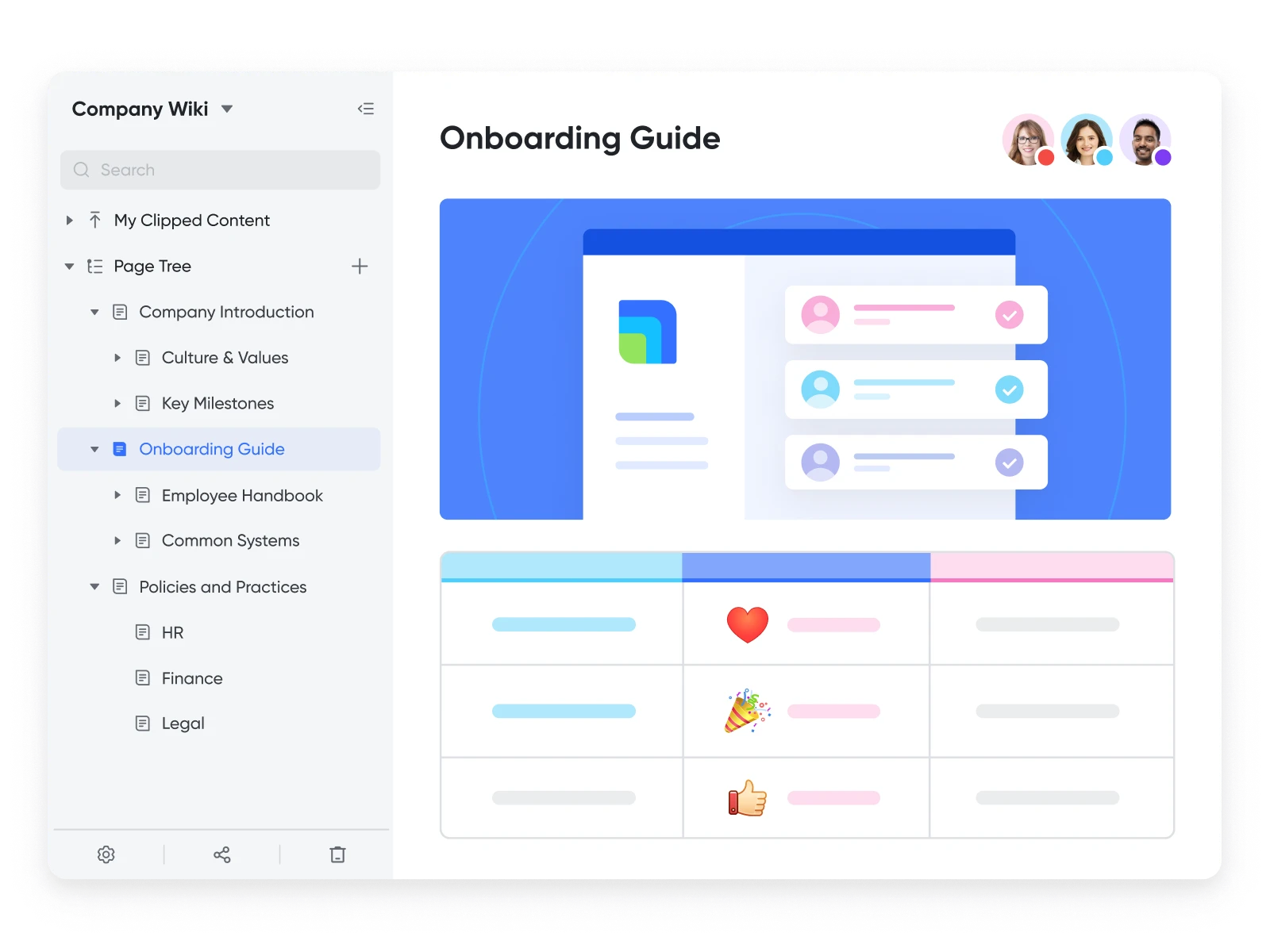
Lark Wiki provides a structured home for your team's collective knowledge. It allows you to transform individual Lark Docs into an organized, centralized company knowledge base. It links information together easily.
How It Helps: It serves as the single source of truth for the organization. Remote employees can quickly search and find accurate policies, onboarding guides, and key project records. This prevents information from getting lost in chat history or buried in folders.
Use Case Example: A new remote employee needs to find the company's vacation policy. Instead of asking a manager, they search the Lark Wiki and instantly find the up-to-date document, complete with all necessary forms and links.
4. Lark Base
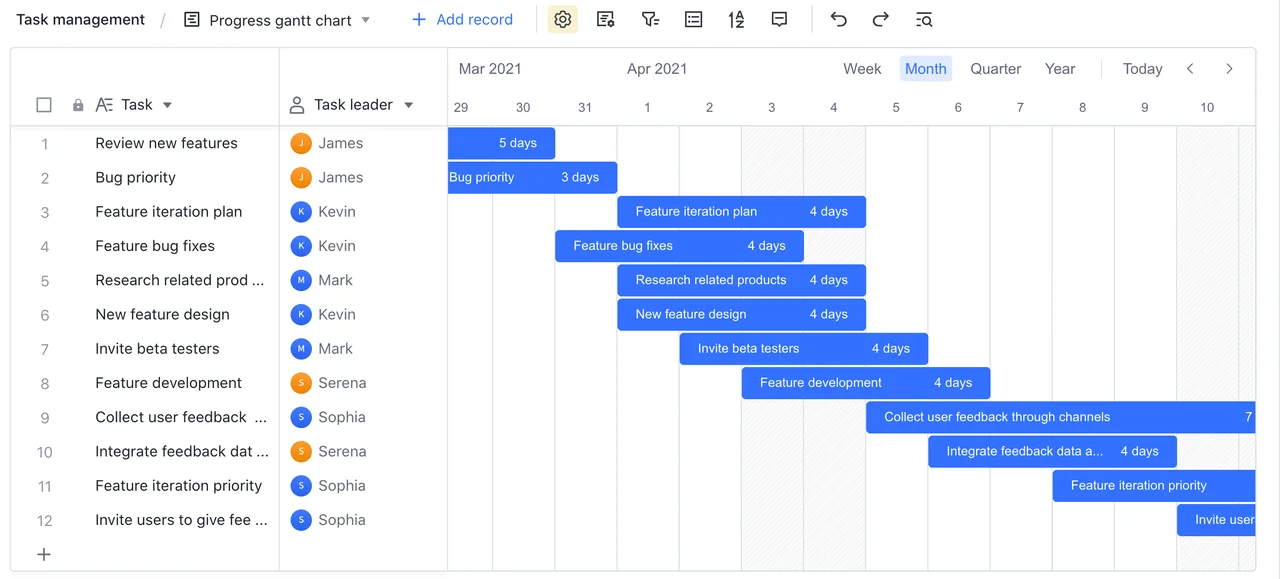
Lark Base is a customizable, no-code database tool for managing data and projects. It lets users build flexible tracking systems and view data in different formats, including Kanban boards, Gantt charts, and standard grids.
How It Helps: It centralizes project visibility for remote teams across different time zones. Managers can customize the system to match any workflow. This ensures tasks, deadlines, and progress are always transparent and easily trackable.
Use Case Example: A large sales team tracks all leads and client outreach in a customized Lark Base. The Sales Manager uses the Kanban view to monitor deal status, while a data analyst uses the Grid view to run quarterly reports.
5. Workflow Automation & Approval
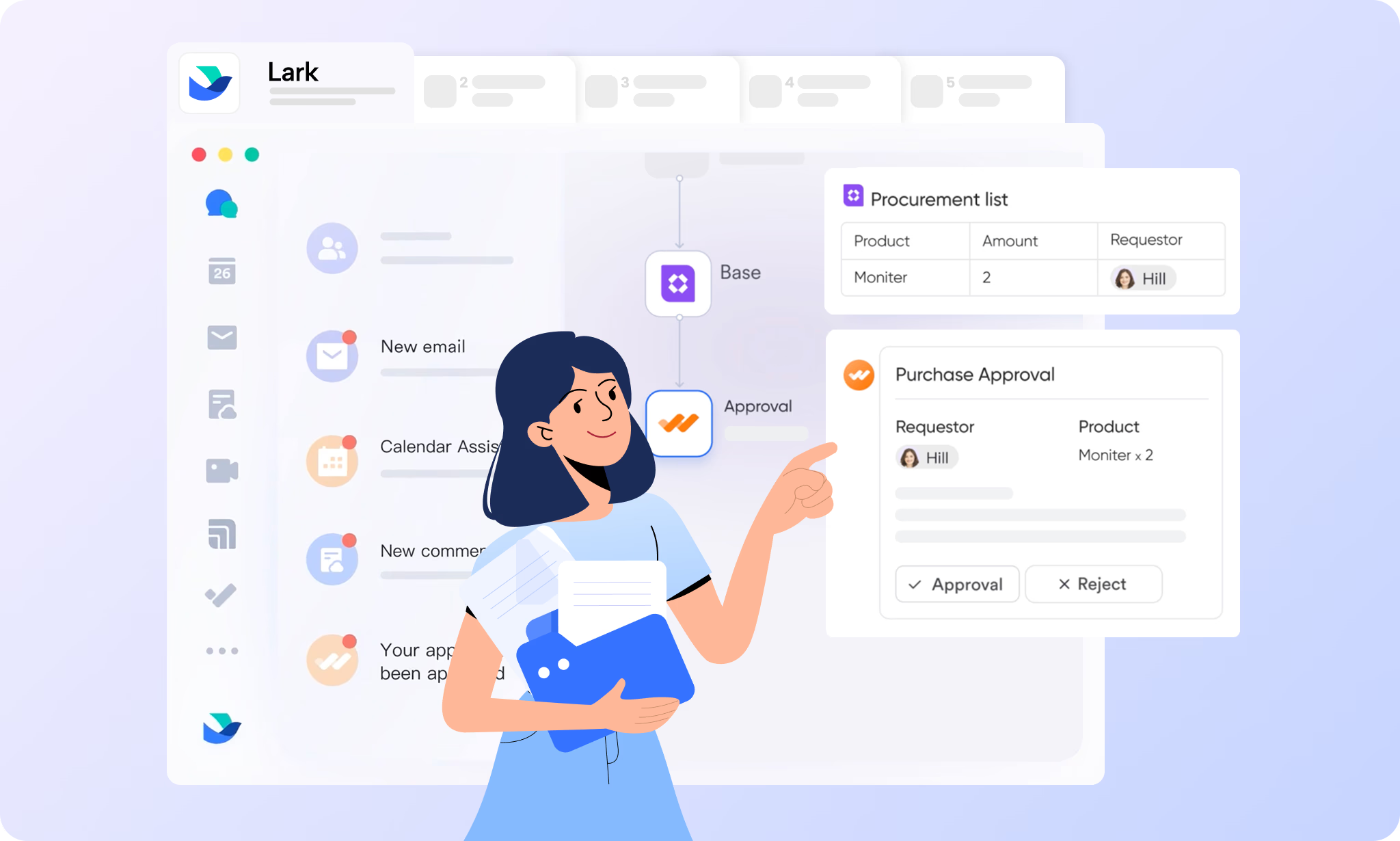
Lark Approval is a tool that digitizes and automates routine business processes. It allows you to create custom forms and complex, multi-step approval sequences. Requests are routed instantly based on pre-set rules.
How It Helps: It drastically speeds up administrative tasks like expense claims or leave requests. Automation ensures every step is followed correctly and eliminates manual handoffs. This ensures fast, compliant processes for global teams.
Technical Note: You can set up automation triggers so that a change in Lark Base (e.g., project completion) automatically initiates an approval flow in Lark Approval.
6. Multilingual Real-time Translation
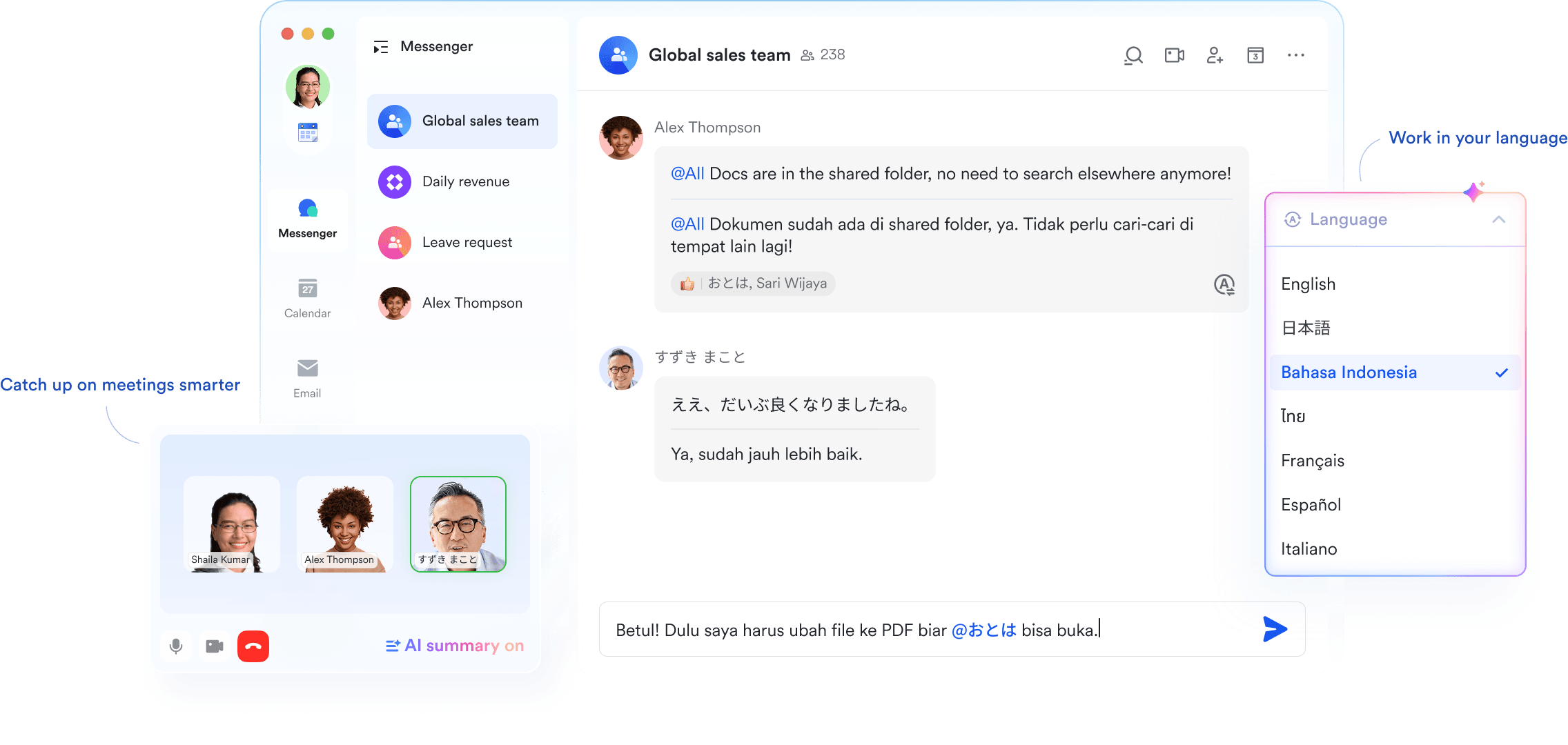
This AI-powered feature delivers instant translation for messages, documents, and live video meeting captions. It supports over 100 languages automatically across the platform.
How It Helps: It completely removes language barriers for multicultural and global teams. Colleagues can communicate naturally in their native language. This increases communication speed and reduces misinterpretations in vital business discussions.
Use Case Example: During a video call between offices in China and the US, a Chinese executive speaks, and the US team sees live, accurate English captions instantly displayed on their screens.
7. AI Tools

Lark Minutes is a specialized AI tool that automatically transcribes video meetings. It generates searchable notes, summaries, and action items from the conversation. This means no one has to take notes during the meeting manually.
How It Helps: It ensures that valuable discussions and decisions are never lost. For remote teams, it is essential to handle time differences. Employees who miss a meeting can quickly read the summary and action items to catch up in minutes.
Technical Note: The AI-generated action items are often automatically converted into assignable tasks within the Lark platform.
Tips to Use Lark Effectively
-
Use Synced Blocks in Docs: Create content blocks in a Lark Doc that update automatically across all linked documents. This is perfect for changing a standard project status across multiple reports.
-
Integrate Calendar Scheduling: When scheduling a meeting, use the calendar feature to automatically view the availability of all required attendees across time zones.
-
Customize Navigation: Pin your most-used Lark Base dashboards, Docs, or chat groups to your sidebar for one-click access.
-
Set Approval Delegates: If you are taking a vacation, use the Approval tool to assign a delegate who can approve routine requests on your behalf instantly.
-
Leverage Enterprise Search: Do not browse. Use the powerful search bar to find exact phrases, files, or messages across your entire history—even within documents and meeting transcripts.
Pros and Cons of Lark
Pros:
-
True Unification: Lark's all-in-one architecture eliminates friction and the cost of managing multiple, separate software subscriptions.
-
Global Team Ready: AI-powered real-time translation makes cross-border and multilingual collaboration seamless.
-
Powerful Free Tier: Offers a generous Starter plan that includes most core features and AI translation for small teams.
Cons:
-
Initial Learning Curve: The depth of features can be overwhelming for users new to integrated platforms, requiring solid onboarding.
-
External Collaboration: Working with partners who do not use Lark may require switching to external applications like email or other messengers.
Pricing and Availability
PlanPricingMax UsersKey FeaturesStarter$0 / month (Free)Up to 2018 months of history, 100GB storage, Unlimited AI Translation.Pro$12 / user / month (Billed Annually)Up to 500Unlimited message history, 15TB storage, Unlimited meeting transcription, 24-hour video calls.EnterpriseContact SalesUnlimitedAdvanced security, SSO, customized quota limits, and priority support.
Lark is accessible everywhere your team works. It is available on Windows, macOS, Android, iOS, and via a Web browser.
How the Fileion Team Picked These Features
Our selection focused on features that deliver the most tangible value to distributed teams. We prioritized tools based on usability, performance, innovation, and direct impact on cross-border communication and project visibility. These seven features showcase Lark’s strength as an integrated, intelligent workplace solution.
Final Verdict
Lark stands out as a superior choice for any organization committed to building a cohesive, efficient remote or global team. Its core strength lies in its integrated nature, which prevents data silos and context loss.
Lark is perfect for startups, mid-sized companies, and any team tired of paying for, and switching between, five different collaboration tools. If you’re ready to boost your workflow and focus on your actual work, try Lark today and experience how these features transform your routine.
Click here to download Lark for free
FAQs
Q1: Is Lark free to use for small teams?
Ans: Yes, Lark offers a permanently free Starter plan for up to 20 users, including most core features and AI translation.
Q2: Can I use Lark for project management?
Ans: Yes, Lark Base is a flexible, no-code database tool that provides Gantt, Kanban, and other views for comprehensive project and data management.
Q3: Does Lark work well for multilingual global teams?
Ans: Absolutely. Lark's Multilingual Real-time Translation feature instantly translates messages, documents, and live captions across over 100 languages.
Q4: Does Lark automatically transcribe my video meetings?
Ans: Yes, the Lark Minutes AI tool automatically transcribes, summarizes, and extracts action items from video meetings.
Q5: What devices is the Lark app available on?
Ans: Lark is cross-platform, available on Windows, macOS, Android, iOS, and via a web browser.
Comments
Let us know about your thoughts
Explore more articles related to Lark Suite
Here you will find all the latest tips and tricks about Lark Suite. Also you will get many solution of problems which you may face while using this app.
Published at: Oct 19, 2025
7 Powerful Lark Features Every Remote Team Should Know
Do you feel like your team uses a dozen apps just to get one thing...


Work Smart, Chat Fast, Create Together
Lark is an all-in-one collaboration platform that combines chat, video calls, docs, sheets, and cloud storage in one sleek space. Edit, meet, and message in real-time without switching apps. It’s fast, modern, and perfect for teams that want to work smarter together.